How to download a film from the Internet Archive
Go to the film’s page
On the film’s page here in the collection, use the Internet Archive link: it opens the right page and you can skip to step 2. Otherwise, open the pv_ca profile and look for the title in the “Search uploads” box.
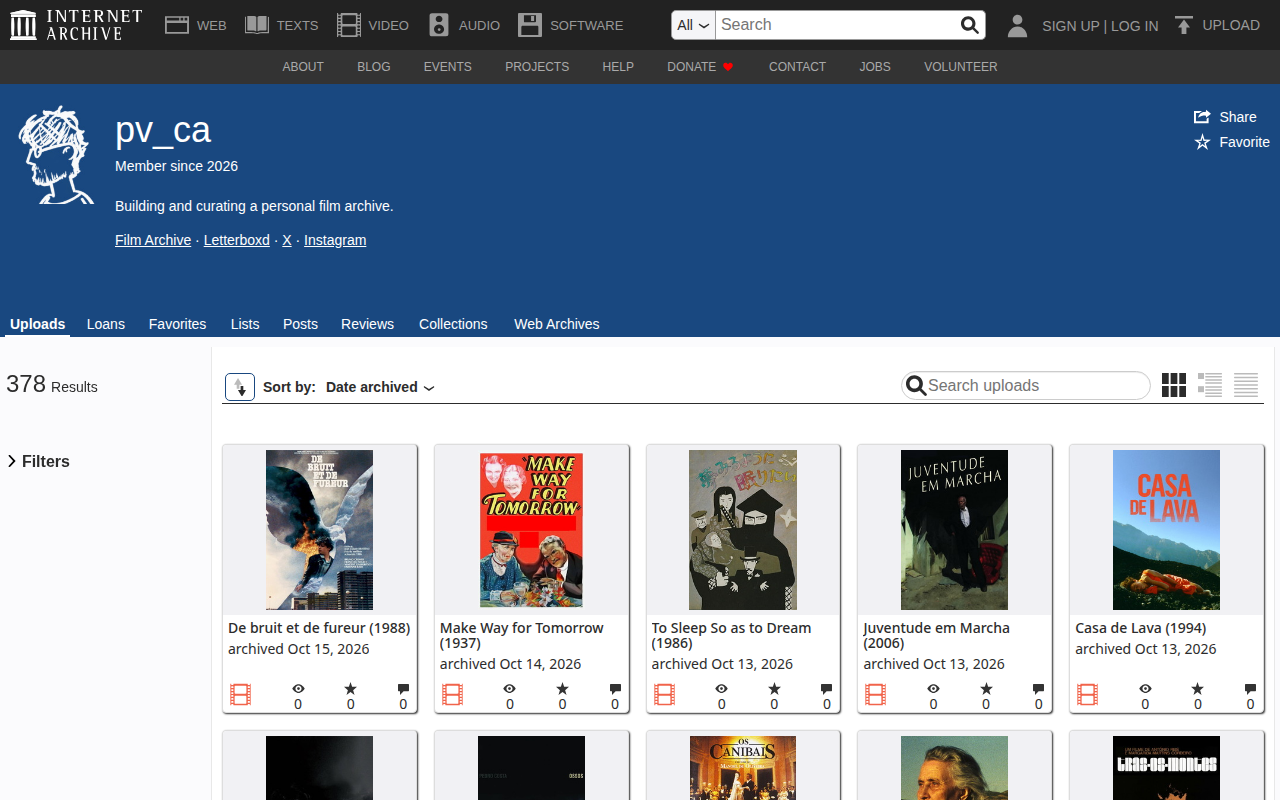 Search for the title here
The profile lists every uploaded film, from newest to oldest. Check the size before downloading
On the film’s page, check the Item Size. Films in the collection are usually high quality, but the size changes from film to film: it can be small, large or very large. Knowing beforehand keeps you from running out of disk space mid-download.
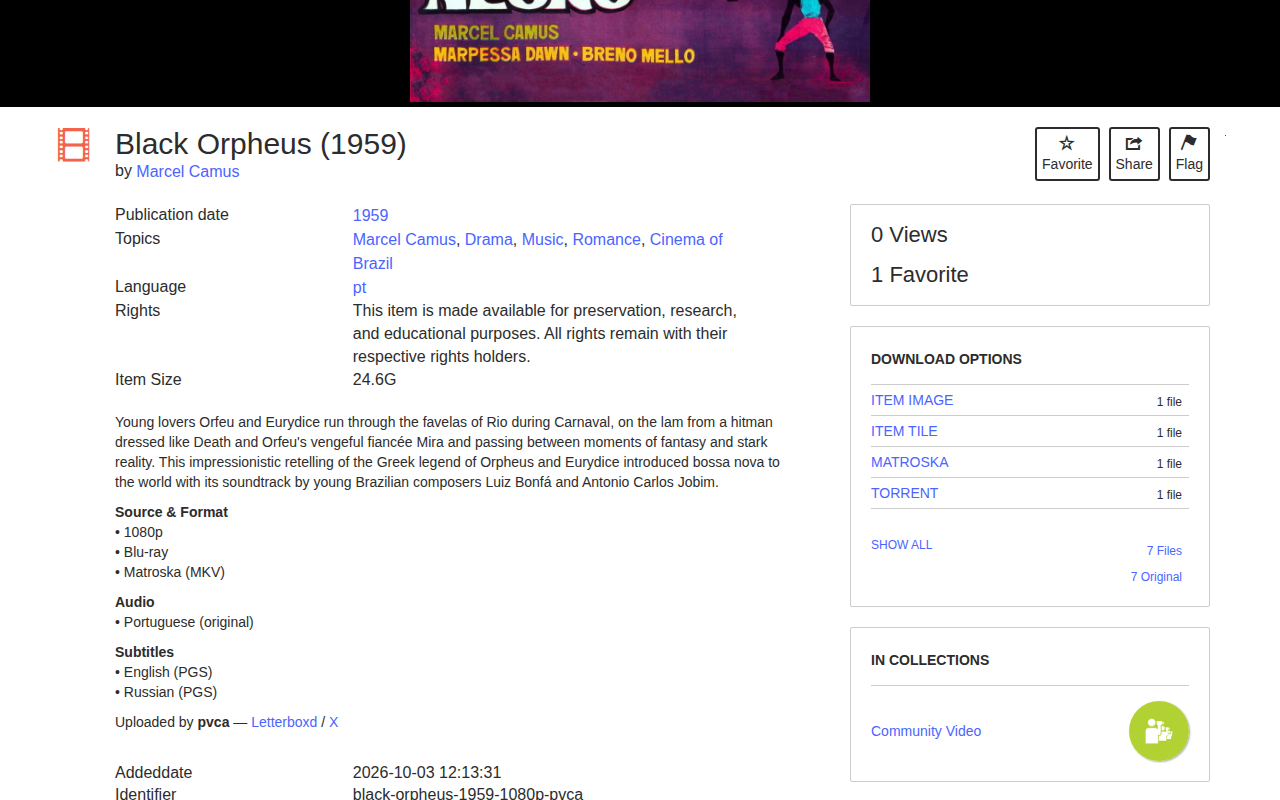 Item Size: 24.6G (for this film)
Look at the options under “Download Options”
The panel on the right lists the formats available for that film. Not every film has the same options, and MATROSKA (.mkv), which appears in this example, may not be the only one. See what exists and check the size of each option to be sure you are downloading the right thing.
Available formatsOption What it is MATROSKA, MPEG4… The film as a single video file. There may be more than one format; compare the sizes. TORRENT Always available. Downloads the film through a torrent program, good for large files and unstable connections. 7 Original Lists only the originally uploaded files, each with its size. 7 Files Lists every file in the item, including those generated by the Archive. ITEM IMAGE, ITEM TILE Only the film’s poster. Not the film. Save the file
Clicking a format (or “7 Original” or “7 Files”) opens the file list in your browser, with each file’s size in the “Size” column. Click the name of the film file, which here ends in
.mkv, and the download starts. If the browser tries to open it instead of downloading, right-click the link and choose Save link as….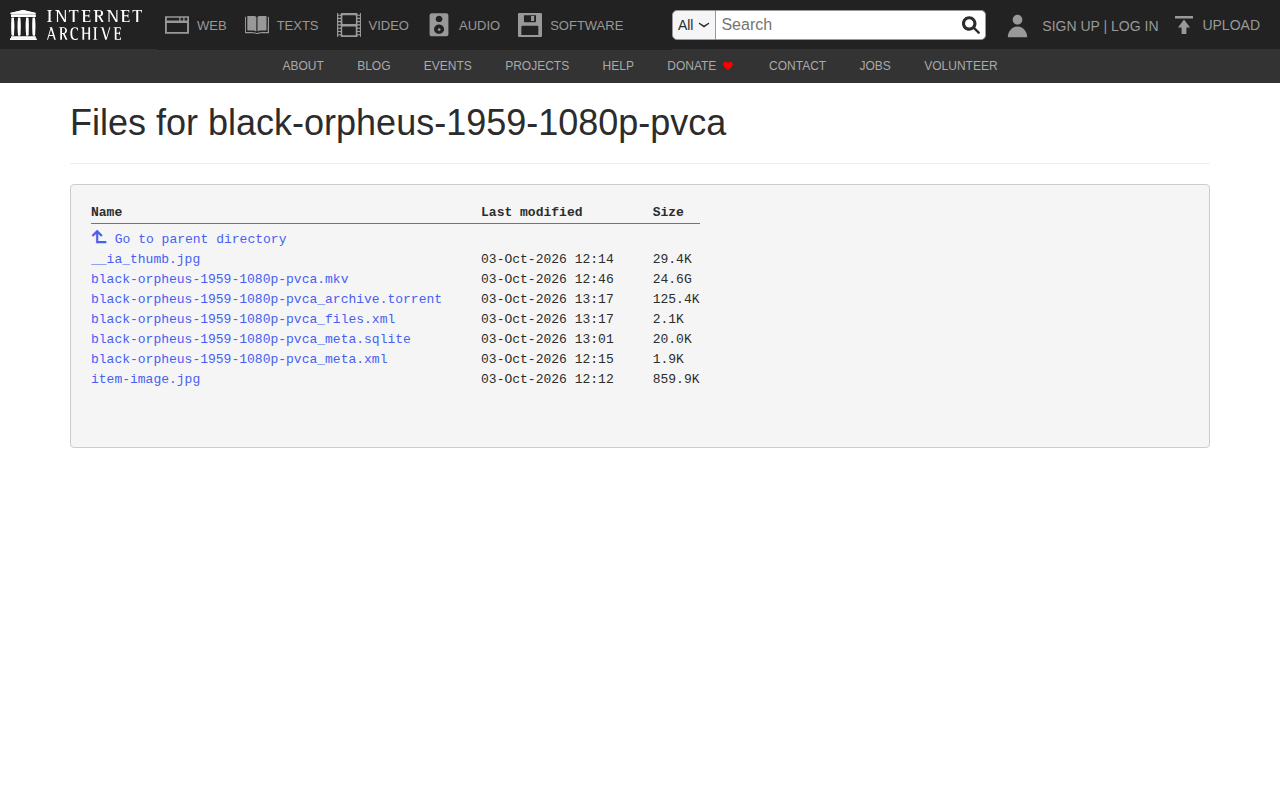 black-orpheus-1959-1080p-pvca.mkv · 24.6 GB
The .torrentfile, just below, is the alternative for downloading with a torrent program.Done. The file goes to your Downloads folder. If the connection drops, click the same link again: the browser usually resumes where it stopped.
Questions
Frequently asked questions
How long does it take?
It depends on the film’s size and your internet: a 24 GB file on a 100 Mbps connection takes about 35 minutes. Keep the computer on and do not let it sleep.
How do I open an .mkv file?
Use VLC, which plays .mkv on computer and phone. No extra codec is needed.
How do I turn on subtitles?
Subtitles are already inside the file. In VLC, open the Subtitle menu → Sub Track and choose the language (the film’s page lists which exist).